
Google's Gemini can now use your Mac's apps for you while you keep working
Gemini's Mac app can now click and type its way through files, apps and websites to finish chores, in a window that runs in the background. It is US-only and English-only for now.
The short version
- Google's Gemini app for Mac can now do multi-step computer chores for you. It clicks and types its way through your files, apps and websites.
- It works in a separate background window, so you can keep using your own screen while it works.
- For now it is only in English, in the US, on personal Google accounts with a paid Gemini plan.
What happened
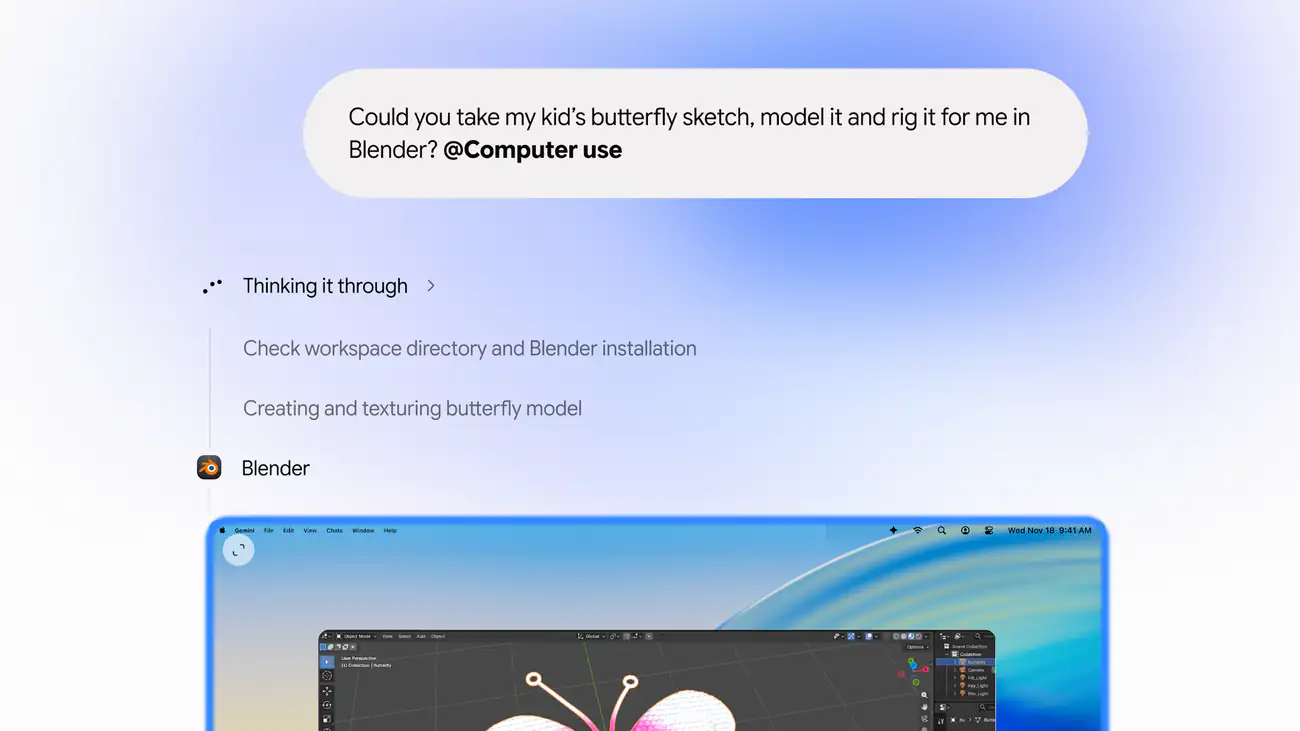
On 19 November, Google added a feature it calls computer use to the Gemini app for Mac. You describe a task in plain words. Gemini then does the clicking and typing needed to finish it.
It can work across three places: files on your Mac, the desktop apps you have installed, and the web. Google pitches it at the repetitive work that normally takes dozens of clicks.
Google gave four examples of the jobs it has in mind:
- Creative work. Color-correct a batch of photos in your design software, or set up a complex 3D scene.
- Form filling. Pull package sizes and addresses out of PDF files on your Mac, then fill in a shipping quote.
- Reports. Collect figures and screenshots from live dashboards for several regions, and build a Google Slides presentation from them.
- Selling online. Look at photos of clothes in a folder, check prices online and prepare listings on resale sites.
What is actually new
Other AI tools can already click around a computer for you. Gemini does it in a separate window, so your screen stays free.
Gemini works in a separate window in the background. A live preview appears in your chat with Gemini, so you can watch what it is doing. Meanwhile your own screen and cursor stay free. Google says you can keep working or take calls while it runs.
Google also lists the controls you keep:
- you choose which apps Gemini may use;
- you can watch every step as it happens;
- you can pause it at any time;
- Gemini asks you to approve key actions before it takes them.
Who can use it
The feature is rolling out in English, in the US only. It needs a recent Mac with Apple's own chips and an up-to-date operating system.
It is limited to personal Google accounts for people aged 18 and over. Users also need one of Google's paid AI plans. Google's announcement doesn't mention work or school accounts.
What it means for companies in Indonesia
Nobody in Indonesia can use this today. It is still worth watching, because of the kind of work it targets.
Plenty of office work looks like Google's examples. Staff copy figures from one system into another, fill in forms from PDF files and build weekly decks from dashboards. Tools like this one could take hours of that work off people's desks.
The risk is control over company data. A tool that can click through any app on a laptop can also reach any data on that laptop. Google's answer is to let the user pick which apps Gemini may touch, and to ask before key actions. For a company, those choices should not be left to each employee.
Because the feature is for personal accounts, the first people to try it are likely to use it on their own initiative. If staff start using personal accounts for work tasks, company data may end up flowing through tools the company never approved.
What to do
- List the repetitive, many-click tasks in your teams, such as moving figures between systems or filling forms from PDF files.
- Decide now which apps and data an AI assistant may ever be allowed to operate on a work computer.
- Set a rule on using personal AI accounts for company work.
- Ask your software vendors whether their own tools can already automate these tasks.
- Watch for business versions and wider language support before planning a trial.