
Claude can now join your video calls and write the meeting notes for you
Anthropic's assistant sits in on Google Meet calls, answers questions and starts the follow-up work while the team talks. It stays out of calls with outside guests unless an admin allows it.
The short version
- Anthropic's Claude can now join a video call as a visible guest. It takes the notes and lists who does what, so people can focus on the conversation.
- While people talk, it can start the follow-up work. That might be a plan or a whiteboard the team edits live.
- It is in beta on Claude's Team and Enterprise plans, and works with Google Meet first.
What Anthropic launched
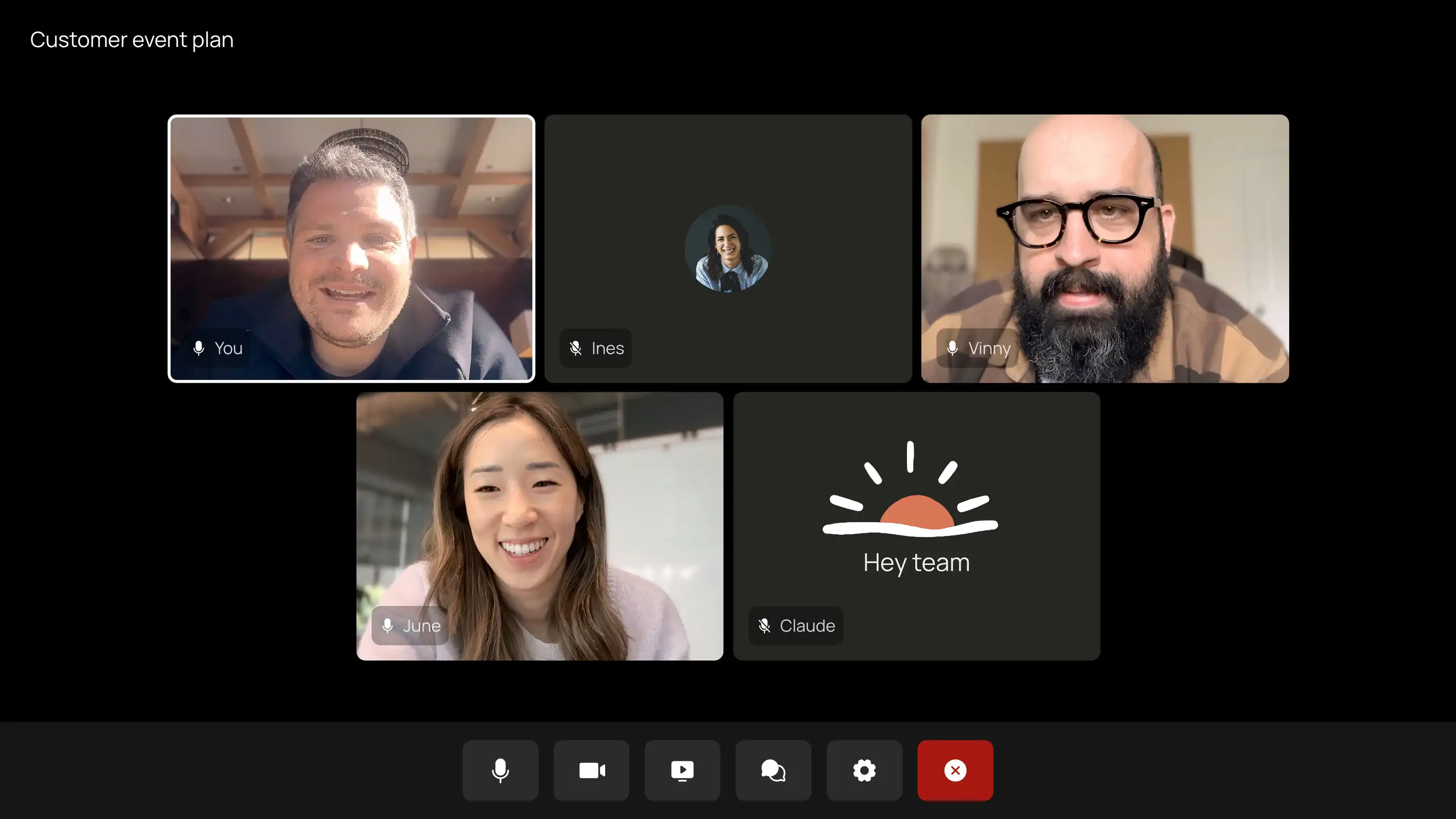
Claude Meetings puts Anthropic's AI assistant into your video calls. It shows up as a participant and posts a notice in the call's chat. People can ask it questions out loud or in the chat. By default, it answers in writing.
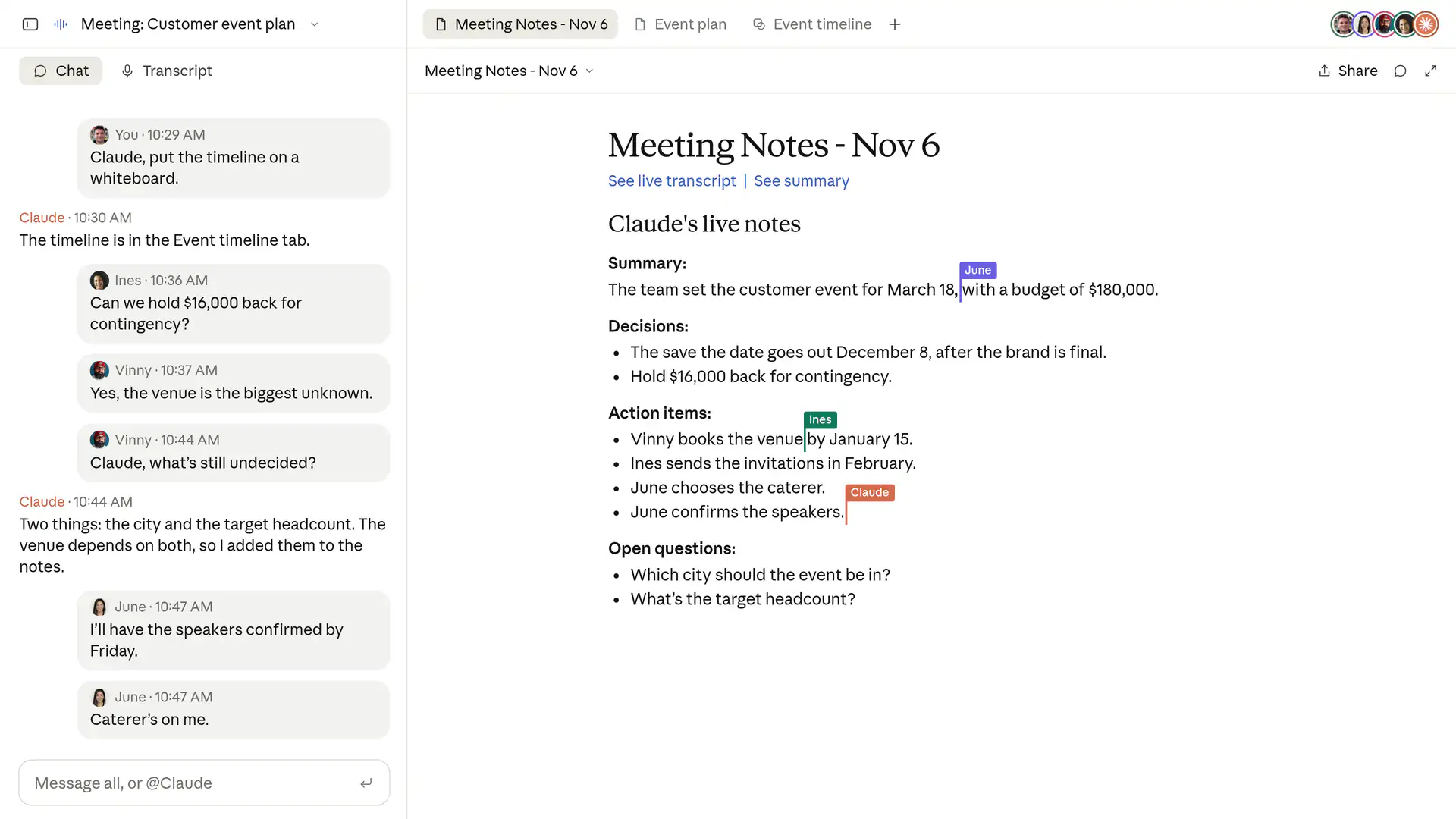
Anthropic's example is a team planning a customer event. Someone says, "Claude, start a doc for this plan." Claude writes up what has been said, and teammates edit the plan while the talk goes on.
When the conversation turns to money, someone asks what last year's event cost. Claude asks permission to look it up in the company's connected tools. Then it posts the answer and compares it with the new budget. Later, someone asks it to put the schedule on a whiteboard, and the team works on that too.
The notes and transcript sit on one page in Claude after the call. So does anything Claude built during the meeting. Colleagues who were invited can see it and edit it. You can also go back later and ask Claude questions about past meetings.
Who it records, and when
Anthropic has set cautious defaults:
- Claude stays out of calls that include people from outside your organization. It leaves if an outsider joins partway through. An admin can change this.
- It keeps a transcript and a summary. It also writes descriptions of shared screens. It does not keep the audio.
- It uses each person's connected tools only with that person's permission. For now, when someone asks out loud, it checks who is speaking each time.
- Anthropic tells users to make sure everyone on a call is happy to be transcribed before adding Claude.
The beta is not open to every company. Firms that use certain strict privacy setups are excluded for now, including those that require customer data to be deleted right away.
On Team plans, inviting Claude is on by default and an admin can switch it off. On Enterprise plans, an admin decides who gets it.
What it costs
Claude's notes and answers cost nothing extra on Team and Enterprise plans during the beta. Transcripts are free too. The exception is an answer that uses one of your connected tools, which counts toward your plan's usage. The documents and whiteboards Claude makes in a call are free until 10 February 2027.
What it means for companies in Indonesia
Meeting notes are a small job that eats a lot of time. What is new here is an assistant that starts the follow-up work during the call and can pull company data on request.
Get consent first. A transcript records what each person said. Treat it with the same care as other personal data, and make sure staff know when Claude is listening.
Then think about client calls. Claude's default is to stay out when outsiders are present. Keep that setting unless your legal team agrees otherwise. Calls with clients and suppliers are the riskiest to transcribe.
Anthropic says it is working with several note-taking apps so that meeting transcripts can flow into tools teams already use. Support for video platforms other than Google Meet is "coming soon", with no date given.
What to do next
- If you use Google Meet and a Claude Team or Enterprise plan, try it on internal planning calls first.
- Write a short rule on when Claude may join, and tell staff before switching on auto-join.
- Decide who in your company may allow Claude onto calls with outside guests.
- Compare the notes it writes with your current method for a few weeks before you replace anything.