
Databricks can give AI tools look-only access to live data in seconds
Databricks explained how its Lakebase database adds read-only copies without duplicating data. That makes it cheap to give an AI assistant, auditor or partner access it cannot use to change anything.
The short version
- Databricks has explained how its database can add a read-only copy for extra work in seconds, without duplicating the data.
- That makes it practical to give an AI tool, auditor or partner its own look-only access, then switch it off.
- For you, it means less risk of an AI tool changing production data, and lower cost for reports and one-off jobs.
What Databricks described
Databricks sells a database called Lakebase, built on the popular Postgres database. This week it published a post on how Lakebase handles read replicas. A read replica is a read-only twin of a database. It handles the reading, so the main database can focus on saving changes.
In a traditional setup, each replica is a full clone with its own machine and its own copy of the data. That makes replicas slow and expensive. Databricks says they can take minutes to hours to create, depending on the size of the database. They also run around the clock whether anyone uses them or not.
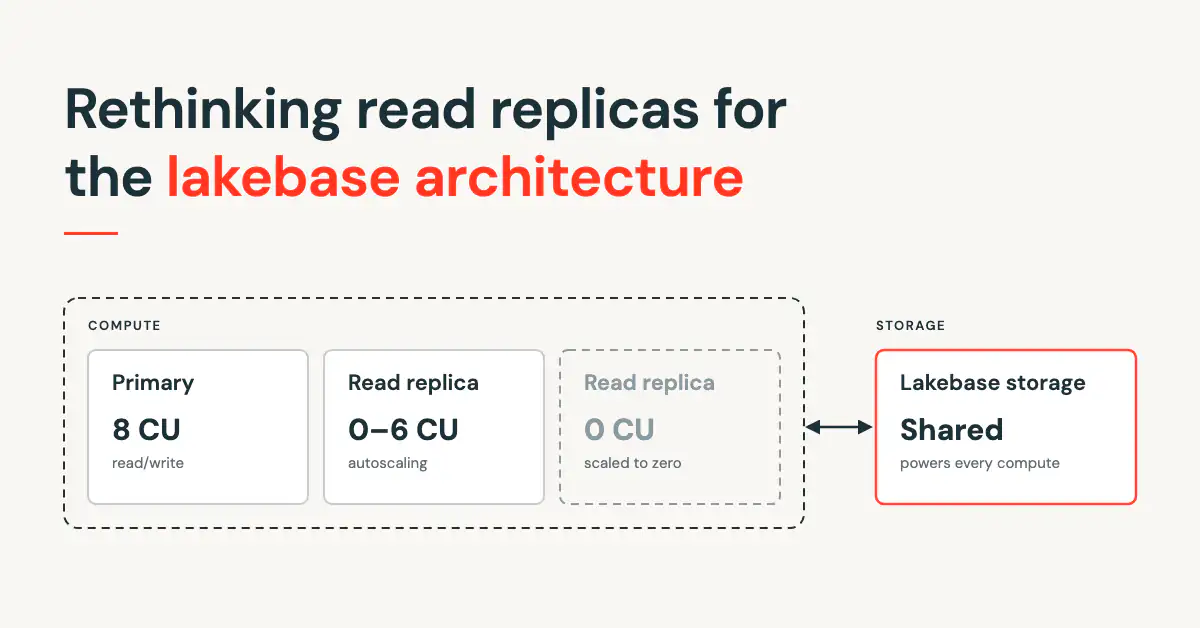
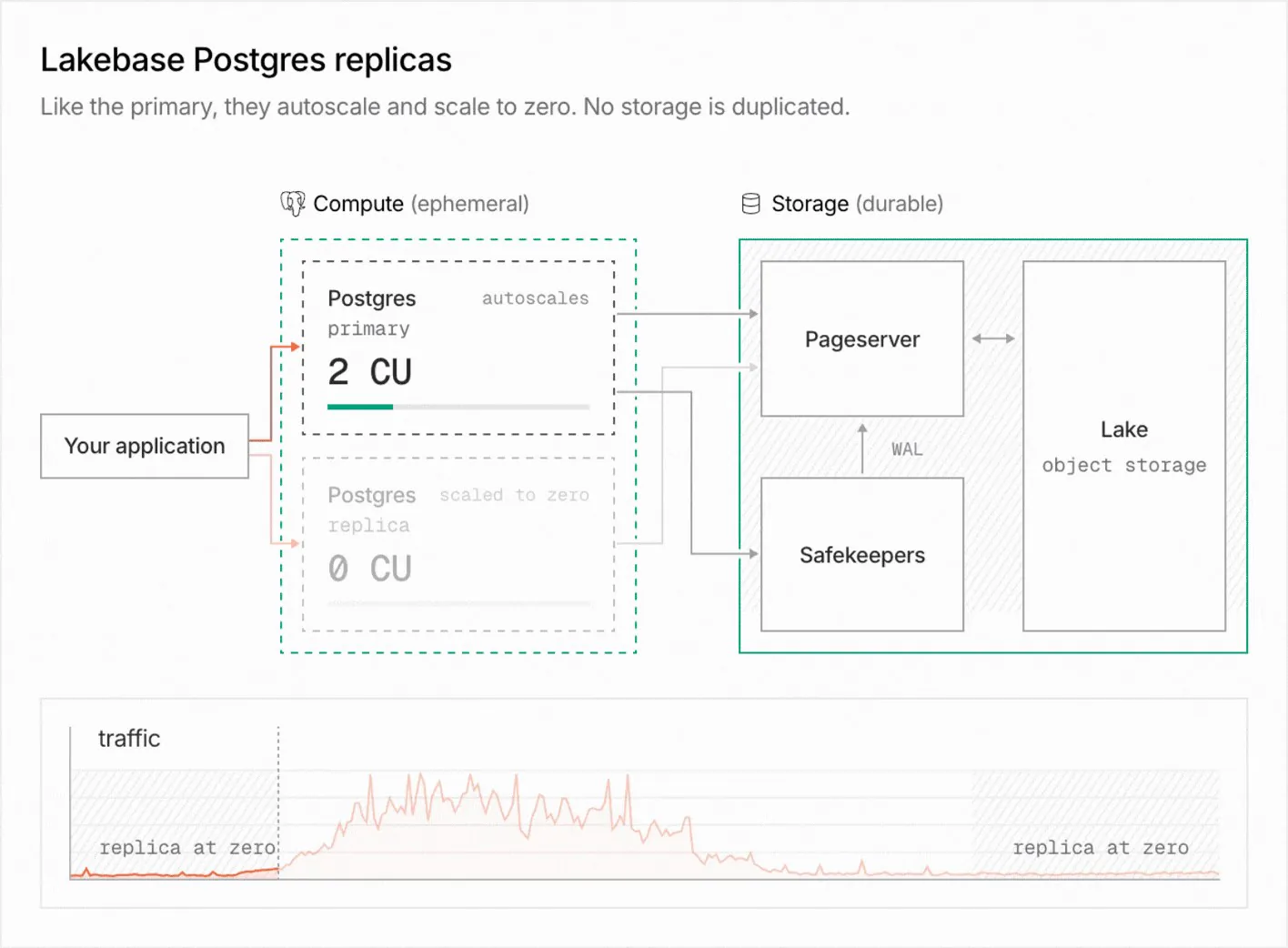
Lakebase splits the computers that answer questions from the storage that holds the data. A replica is just one more computer pointed at the same stored data. According to Databricks:
- a replica is ready in seconds, however large the database;
- it adds no extra storage, because nothing is copied;
- it grows and shrinks with demand;
- by default it switches itself off after 5 minutes without use, and restarts on the next request.
The storage saving is easy to see. With three replicas on a 1 TB database, a traditional setup bills you for 4 TB of storage. Lakebase still bills for 1 TB. A nightly export that runs for 30 minutes is billed for about 30 minutes of computing, not a full day.
Why this matters for AI
Databricks lists several uses. The one that stands out is giving outsiders safe access. An AI assistant can get its own replica. So can an auditor or a partner. It sees current data, and the replica rejects every attempt to change it.
The replica itself refuses every change. The assistant's questions also run on the replica's own computer, so they don't slow down the main system.
A separate study this month showed small AI assistants deleting test company data by mistake. A look-only copy removes that risk for tasks that only need to read. The assistant can answer questions and build reports without being able to break anything.
What to keep in mind
This is Databricks describing its own product, and the post gives no outside test results. For buyers, the point is that look-only copies become cheap enough to use every day.
A read-only copy does not help with tasks that change data, such as updating a record or closing a ticket. Those still need narrow permissions and backups.
It is also worth asking what a replica costs you today. If your current replicas run all day and hold a full copy of the data, you are paying for that whether anyone reads from them or not.
What to do
- List the AI and reporting tools that touch your live databases, and mark which ones only need to read.
- Move read-only tools to read-only access, through a replica or a read-only account.
- Ask your database provider how fast you can add a replica, and whether you pay for it when idle.
- Give auditors and partners their own temporary copy instead of a login to the main system.
- Keep backups and narrow rights in place for any tool that writes data.